 Make the text larger in Melvor Idle 2 with UI Scale
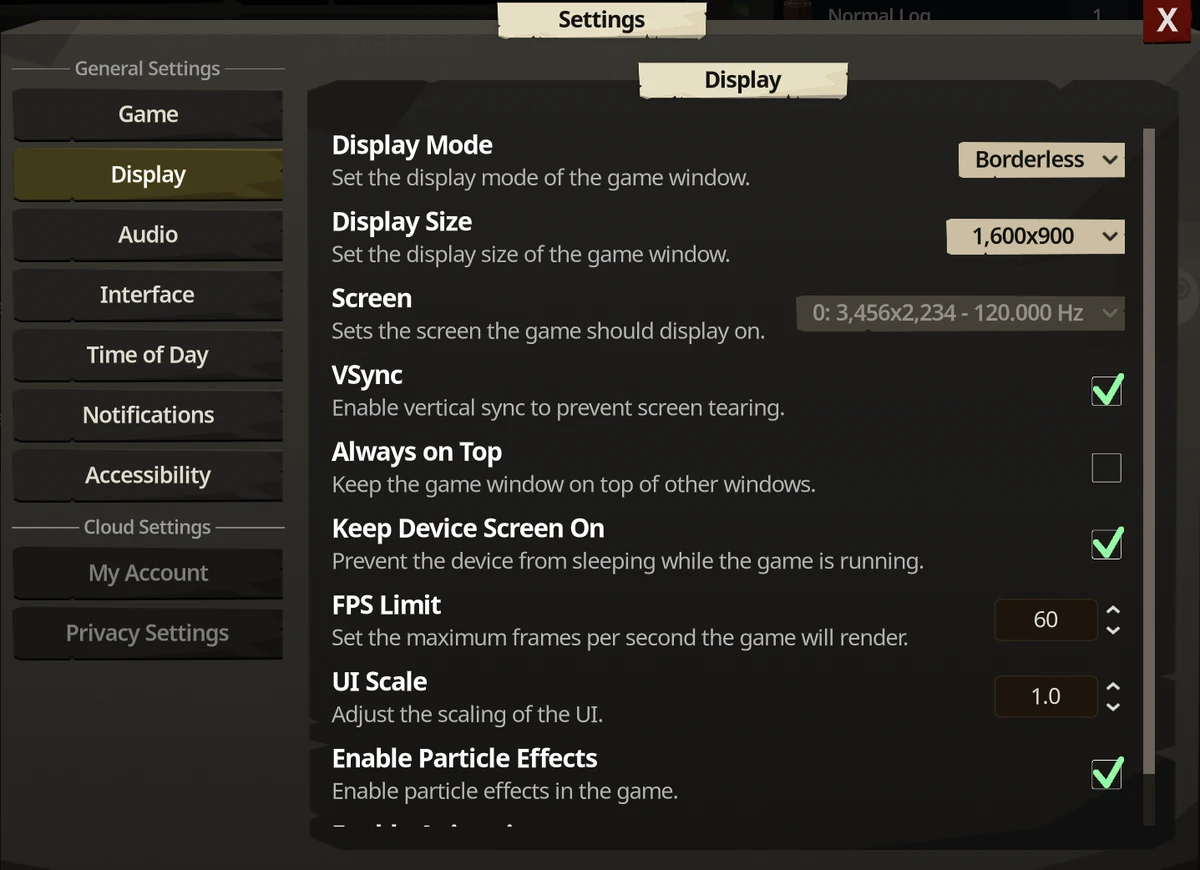
Where the setting is
Press Escape to open the Menu, choose Settings, open Display and raise UI Scale with its arrows.
UI Scale starts at 1.0 and goes from 0.7 to 1.2 in steps of 0.05, so the largest setting draws everything 20% bigger. It is saved with the game's other settings, not with a character.
It scales the whole interface
UI Scale is the window's content scale: panels, icons and text grow together. At a larger scale the same window holds less, so more of each page needs scrolling.
There is no separate text-size control. Interface holds background darkness, animations and tooltip timing, and Accessibility holds modifier colours and arrows and click behaviour; neither changes the size of the text.
The game also has zoom-in and zoom-out shortcuts that step UI Scale by 0.05 within the same range. The demo does not list their keys in Settings.
Steam Deck
This answer comes from the game's settings and code on a desktop. How UI Scale looks on a Steam Deck screen was not observed.